Cross-sell as many products as you’d like
Play to your customers’ interests by highlighting products based on their shopping habits with Ignify eCommerce’s powerful cross-selling and up-selling features
Automatically up-sell according to buyer behavior
Use Ignify eCommerce’s basket analysis feature to automatically map what customers are buying
Keep track of what customers are actually buying and use the information to suggest items to buyers with similar shopping habits. Up-sell suggestions such as “Customers who bought this also bought” during checkout can help increase sales.
You may also manually assign up-sell and cross-sell products through the Ignify eCommerce Manager Panel quickly and easily. Add a few related products to your most popular product pages and see how it can drive sales of your lesser known merchandise.
Assign unlimited drop-ship vendors for each drop-ship item
Manually pick and choose which vendor to fulfill each order, or automatically send order notification emails to a vendor as needed.
Easily manage your drop-ship products with the ability to assign multiple drop-ship vendors, send order notification, and receive shipment notification. Each vendor can be set up in your system with multiple email addresses to ensure they receive the required information.
Give your customers choice
Set up unlimited product attribute and map each combination to SKUs set up in your accounting system.
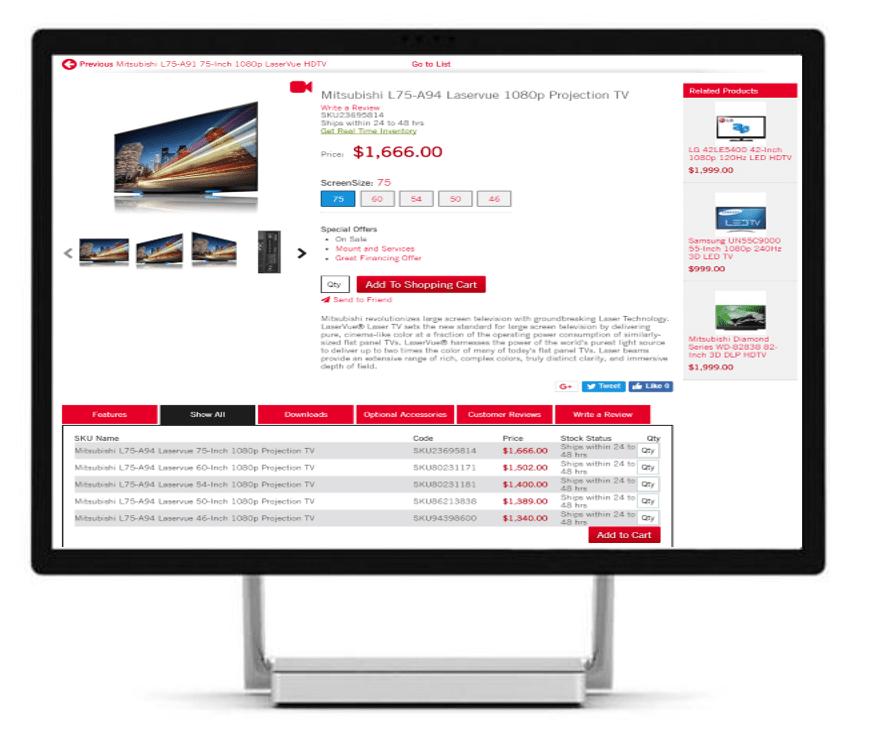
Customers can easily indicate which variants they’d like to view or purchase, such as style, color, or size, and can see specific item information instantly for the combination chosen including a unique price or the stock status of the chosen combination.
Ignify eCommerce supports an unlimited number of attributes. Each item can be assigned to an attribute group and each attribute group can have its set of unique attributes. For example items belonging to the Apparel class may have the attributes as size, style and color while items belonging to the Electronic class may have wattage and color as their attributes.
Finally get the ability to add start or release dates and expiration dates for products so that you can address seasonality as well as setup items before they release to the market.
Get unlimited flexibility with the merchandising capabilities of Ignify eCommerce
For more information on Ignify eCommerce or for help in implementing your web store please email us at ecommerce@ignify.com |